
Alfresco es un sistema de gestión de contenido opensource que viene en varios sabores.
Obviamente este documento habla de la versión Community. Si querés saber un poco más podés buscar info en https://www.alfresco.com. Si llegaste acá es porque querés hacer funcionar tu cmdbuild e integrarlo con alfresco para poder adjuntar archivos. Vamos a los pasos desde 0.
Las pruebas van sobre Debian 11 recién instalado. La versión exacta es Debian 11.3.
Documentación de refrencia:
https://docs.alfresco.com/content-services/community/install/containers/docker-compose/
https://docs.docker.com/engine/install/debian/
Instalar Docker en Debian 11
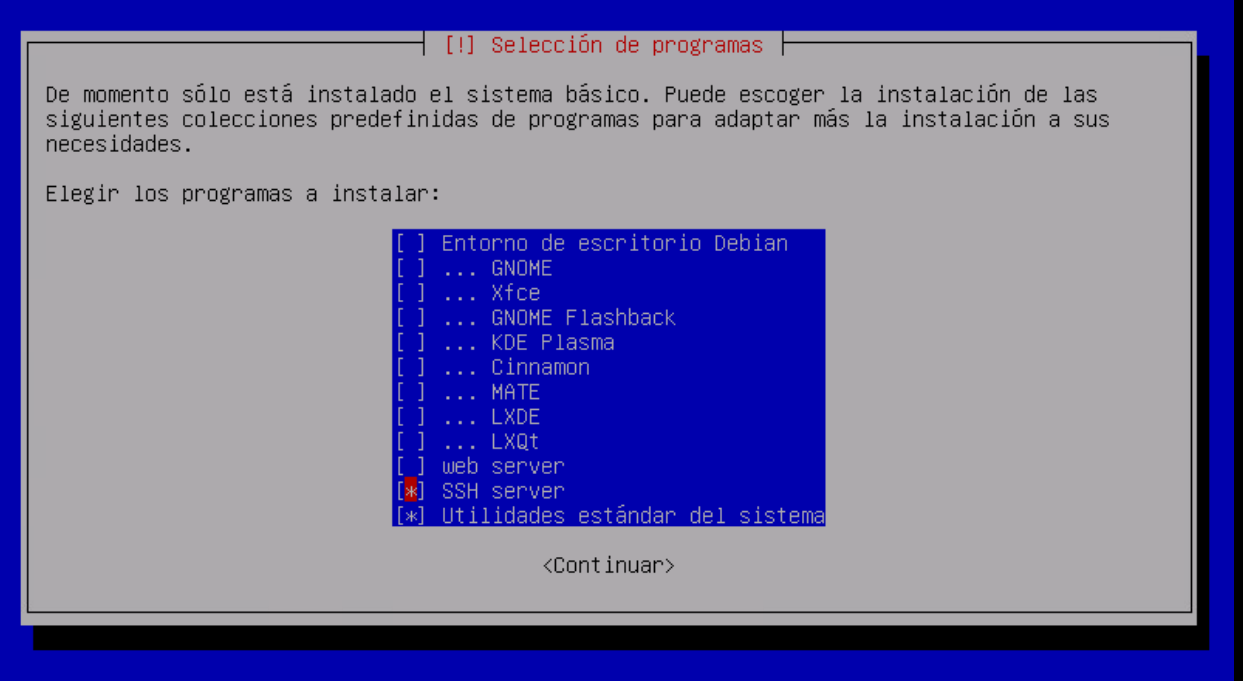
Solo instalá en Debian las utilidades y el ssh server para poder conectarnos desde afuera.
#Actualizamos todo
apt update && apt upgrade
#Instalamos los repositorios y utilidades para docker
apt install ca-certificates curl gnupg
install -m 0755 -d /etc/apt/keyrings
curl -fsSL https://download.docker.com/linux/debian/gpg | gpg --dearmor -o /etc/apt/keyrings/docker.gpg
chmod a+r /etc/apt/keyrings/docker.gpg
echo \ "deb [arch="$(dpkg --print-architecture)" signed-by=/etc/apt/keyrings/docker.gpg] https://download.docker.com/linux/debian \ "$(. /etc/os-release && echo "$VERSION_CODENAME")" stable" | \ tee /etc/apt/sources.list.d/docker.list > /dev/nullapt update
apt install docker-ce docker-ce-cli containerd.io docker-buildx-plugin docker-compose-plugin docker-compose
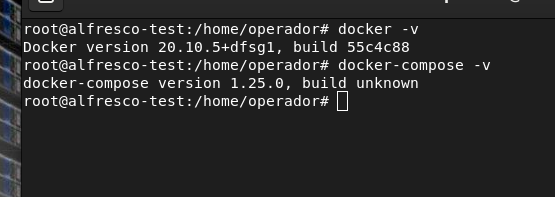
Descargar el repositorio:
chmod -R 777 opt/
cd /opt/
git clone https://github.com/Alfresco/acs-deployment.git cd acs-deployment/docker-compose
cd acs-deployment/docker-compose docker-compose -f community-docker-compose.yml up
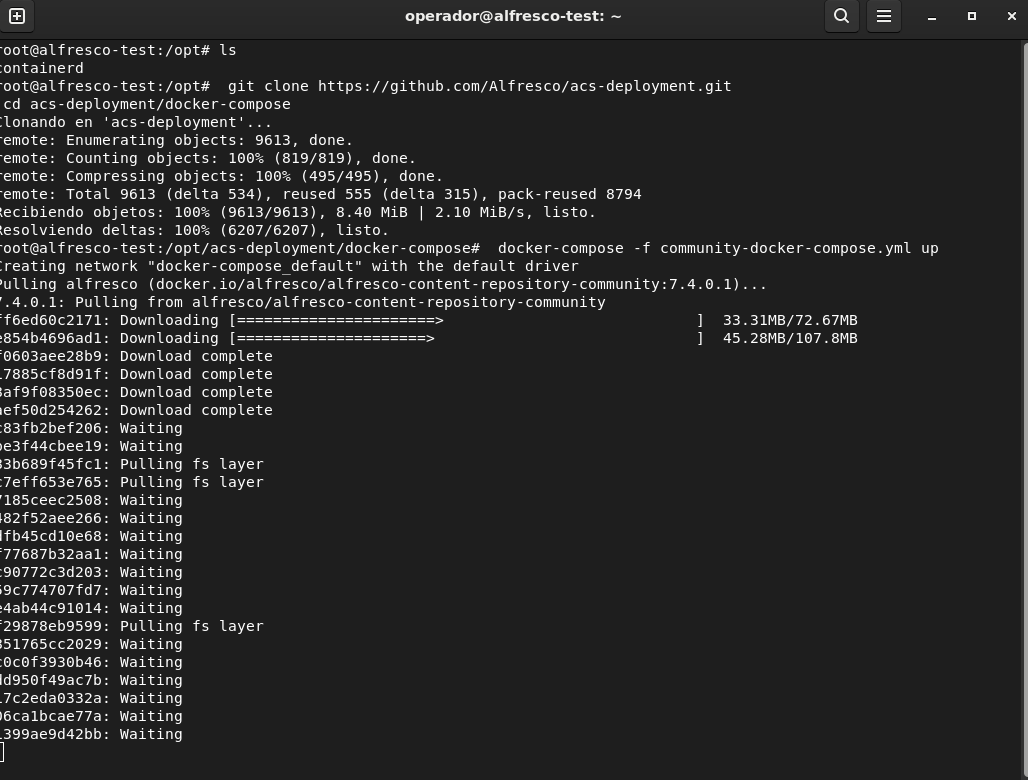
Levantar docker:docker-compose -f community-docker-compose.yml upListo, ya podés acceder desde: http://tu-ip:8080/alfresco Usuario: admin Password: admin
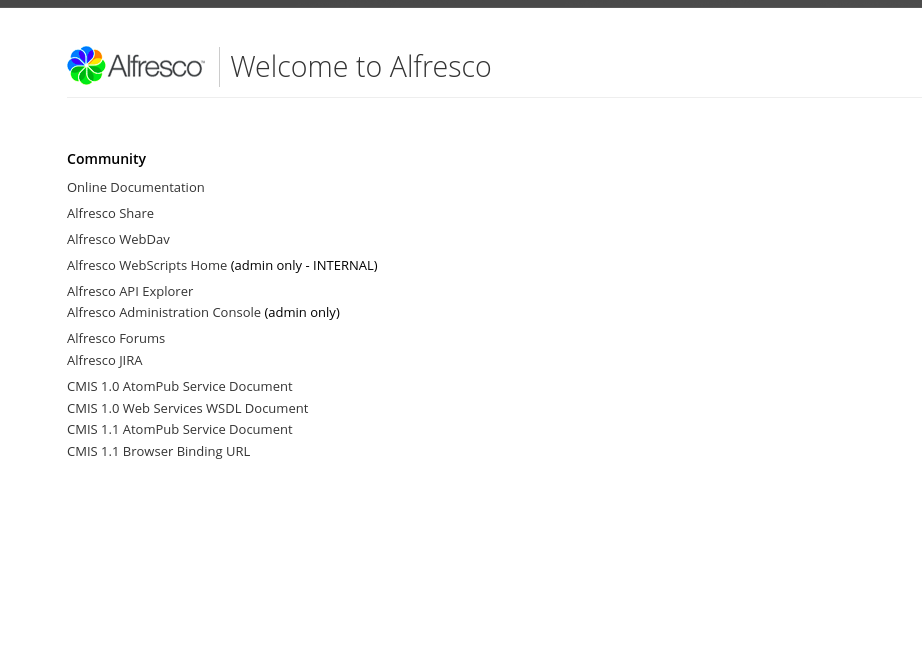
Damos Ctrl + C para detener la ejecución y luego agregamos al comando una -d para ejecutarlo en modo detachado.
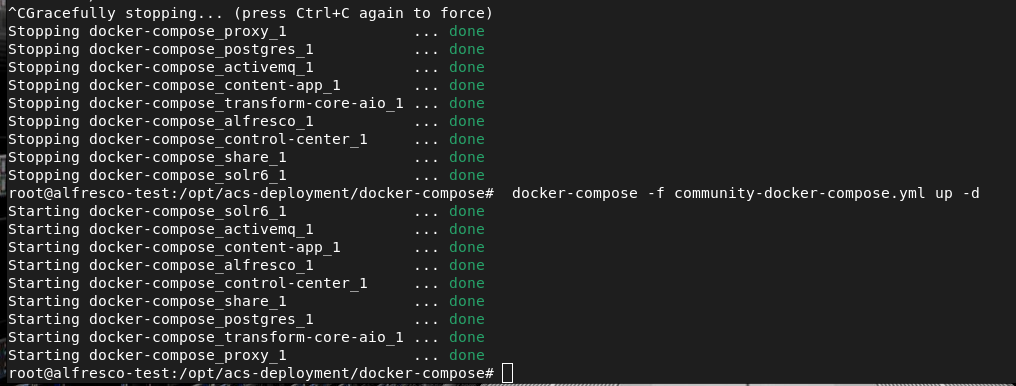
docker-compose -f community-docker-compose.yml up -d
Ya podés usar Alfresco. Las URLs según la documentación oficial son:
| Service | Endpoint |
|---|---|
| Administration and REST APIs | http://tu-ip:8080/alfresco |
| Share | http://tu-ip:8080/share |
| Alfresco Content App | http://tu-ip:8080/content-app |
| Search Services administration | http://tu-ip:8083/solr |
Algunos comandos para ver trabajar con los contenedores de Alfresco:docker-compose stop # Frena todos los contenedores
docker-compose start # arranca los contenedores
docker-compose restart # Reinicia todos los contendores
docker ps # Lista todos los contenedores activos
Integración con CMDBUILD
Podemos integrar con CMBDUILD sin necesidad de caer en la consola.
En Alfresco debemos crear el modelo de datos que usará cmdbuild para cargar los datos.
En Alfresco share (http://tu-ip:8080/share), en Mis Ficheros>Data Dictionary>Models> Subiremos el archivo cmdbuild-model.xml.
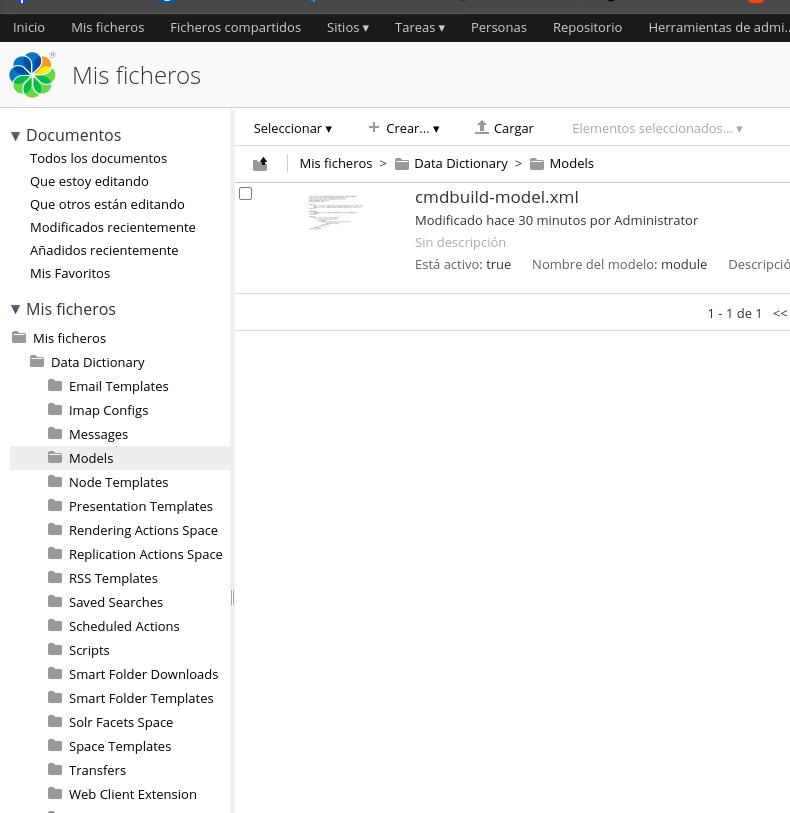
Archivo cmdbuild-model.xml
<?xml version="1.0" encoding="UTF-8"?><model name="cmdbuild:module" xmlns="http://www.alfresco.org/model/dictionary/1.0">
<description>Custom Model for CMDBuild</description>
<author>CMDBuild Team</author>
<version>1.0</version>
<imports>
<import uri="http://www.alfresco.org/model/dictionary/1.0" prefix="d"/>
<import uri="http://www.alfresco.org/model/content/1.0" prefix="cm"/>
</imports>
<namespaces>
<namespace uri="org.cmdbuild.dms.alfresco" prefix="cmdbuild"/>
</namespaces>
<aspects>
<aspect name="cmdbuild:classifiable">
<title>Classfication</title>
<properties>
<property name="cmdbuild:classification">
<type>d:text</type>
</property>
</properties>
</aspect>
</aspects></model>
Una vez subido el archivo hay que activar el modelo y darle permisos generales como muestro en las imágenes:

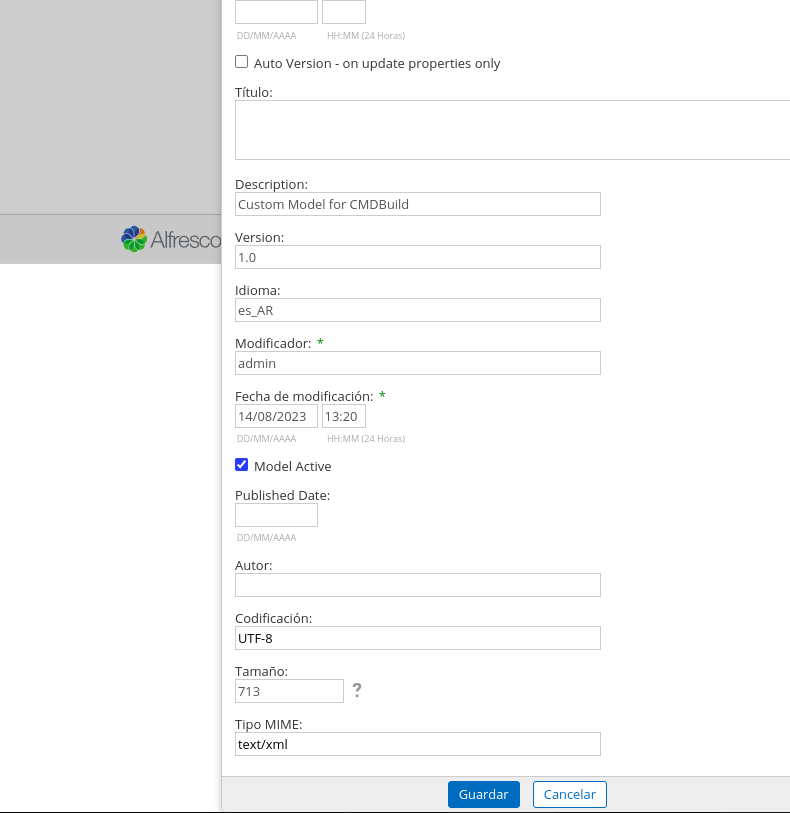
Listo. Ahora a configurar en cmdbuild.
Módulo de Administración>DMS>Configuraciones>

Reemplazar mi ip de test por la ip de tu servidor de alfresco, usuario y clave de alfresco. (12.10.10.115 por tu ip).
Eso sería todo. También podes crear una etiqueta en CMDBUILD para poder usar en alfresco y se trasladará la configuración.
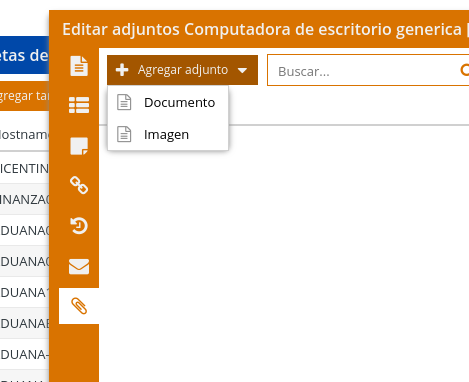
Una vez configurado ya vas a poder subir tus archivos a cmdbuild como adjuntos.
Con este tutorial completamos la instalación de Ready2Use / CMDBUILD que empezamos en el post anterior. (https://www.nerdadas.com/blog/instalar-cmdbuild-ready2use-openmaint-en-debian-11/)
Si faltó algo o no salió como esperabas escribime o dejalo en comentarios.

After I originally left a comment I appear to have clicked on the -Notify me when new comments are added- checkbox and from now on every time a comment is added I receive
four emails with the exact same comment. There has to be a way you are able to remove me from that service?
Many thanks!
Thanks on your marvelous posting! I quite enjoyed reading it, you
might be a great author. I will always bookmark your blog and will
come back in the future. I want to encourage one to continue your great posts, have a nice day!
If some one wishes to be updated with hottest technologies then he must be pay a visit this
web page and be up to date everyday.
I just like the helpful info you provide in your articles.
I will bookmark your weblog and take a look at once more here frequently.
I am fairly sure I’ll be told a lot of new stuff right here!
Best of luck for the following!
Pretty section of content. I just stumbled
upon your site and in accession capital to assert that I acquire in fact enjoyed account your blog posts.
Any way I will be subscribing for your augment and even I success you get admission to consistently rapidly.
Way cool! Some very valid points! I appreciate you writing this post and the rest of the website is very
good.
Hello it’s me, I am also visiting this site daily,
this web site is genuinely nice and the users are truly sharing pleasant thoughts.
I know this if off topic but I’m looking into starting my own blog and
was curious what all is required to get setup? I’m assuming having a blog like yours
would cost a pretty penny? I’m not very web savvy so I’m not
100% certain. Any tips or advice would be greatly appreciated.
Appreciate it
I was recommended this blog through my cousin. I am now not sure whether this post is written by him as no one else know such targeted
about my problem. You’re amazing! Thanks!
This is a topic which is close to my heart…
Many thanks! Exactly where are your contact details though?
This is very interesting, You are an excessively professional blogger.
I’ve joined your feed and look forward to in search of extra of your fantastic post.
Also, I have shared your website in my social networks
I’m not sure where you’re getting your information, but great topic.
I needs to spend some time learning more or understanding more.
Thanks for great info I was looking for this information for my mission.
For hottest news you have to visit world-wide-web
and on internet I found this web page as a best site for latest updates.
What’s up colleagues, its fantastic paragraph about teachingand completely explained,
keep it up all the time.
Yes! Finally something about banda de rock argentina.
Now I am ready to do my breakfast, once having my breakfast coming yet again to read
additional news.
This is the perfect web site for anybody who wants to
find out about this topic. You know a whole lot its almost tough to argue with you
(not that I really would want to…HaHa). You certainly
put a fresh spin on a subject which has been discussed for decades.
Excellent stuff, just wonderful!
Just want to say your article is as surprising.
The clearness in your post is just nice and i could assume you are an expert on this
subject. Well with your permission let me to grab your feed
to keep updated with forthcoming post. Thanks a million and please keep
up the gratifying work.
Your style is really unique compared to other folks I have read
stuff from. Thanks for posting when you have the opportunity,
Guess I will just book mark this blog.
I was able to find good advice from your blog articles.
I think this is one of the such a lot vital info for me.
And i’m happy studying your article. But wanna observation on few basic
things, The website style is ideal, the articles is in reality great : D.
Just right task, cheers
This article presents clear idea in support of the new users of blogging, that really how
to do running a blog.
Appreciating the hard work you put into your
site and in depth information you provide.
It’s good to come across a blog every once in a while that isn’t the same out of date rehashed information. Great
read! I’ve bookmarked your site and I’m including your RSS feeds to my
Google account.
Hello, i think that i saw you visited my web site thus i came to “return the favor”.I am trying to find things to improve my website!I suppose its ok to use some of your ideas!!
Good day! I could have sworn I’ve visited this web site
before but after browsing through a few of the posts I realized
it’s new to me. Anyhow, I’m definitely delighted I discovered it and I’ll be bookmarking it
and checking back regularly!
Hi, Neat post. There is a problem together with your website in internet explorer, may
check this? IE nonetheless is the market chief and a
good portion of other folks will leave out your magnificent writing due to this problem.
I’m impressed, I have to admit. Seldom do I come across a blog that’s
both educative and interesting, and let me tell you, you have hit the nail on the
head. The issue is something too few folks are speaking intelligently about.
Now i’m very happy that I came across this during my hunt for something regarding this.
Hey There. I discovered your weblog the use of msn. This is
an extremely smartly written article. I will make sure to bookmark it and return to read more of your
useful info. Thanks for the post. I will definitely return.
Today, while I was at work, my cousin stole my iphone and tested to see if it can survive a
40 foot drop, just so she can be a youtube sensation. My iPad is now destroyed and she has 83 views.
I know this is entirely off topic but I had to share it
with someone!